Capture any idea in seconds — by voice or text
Good ideas arrive uninvited and leave just as fast. Thought Spark is built so catching one takes less effort than losing it: tap once and talk, or type. It's transcribed, titled and tagged before the thought is even gone.
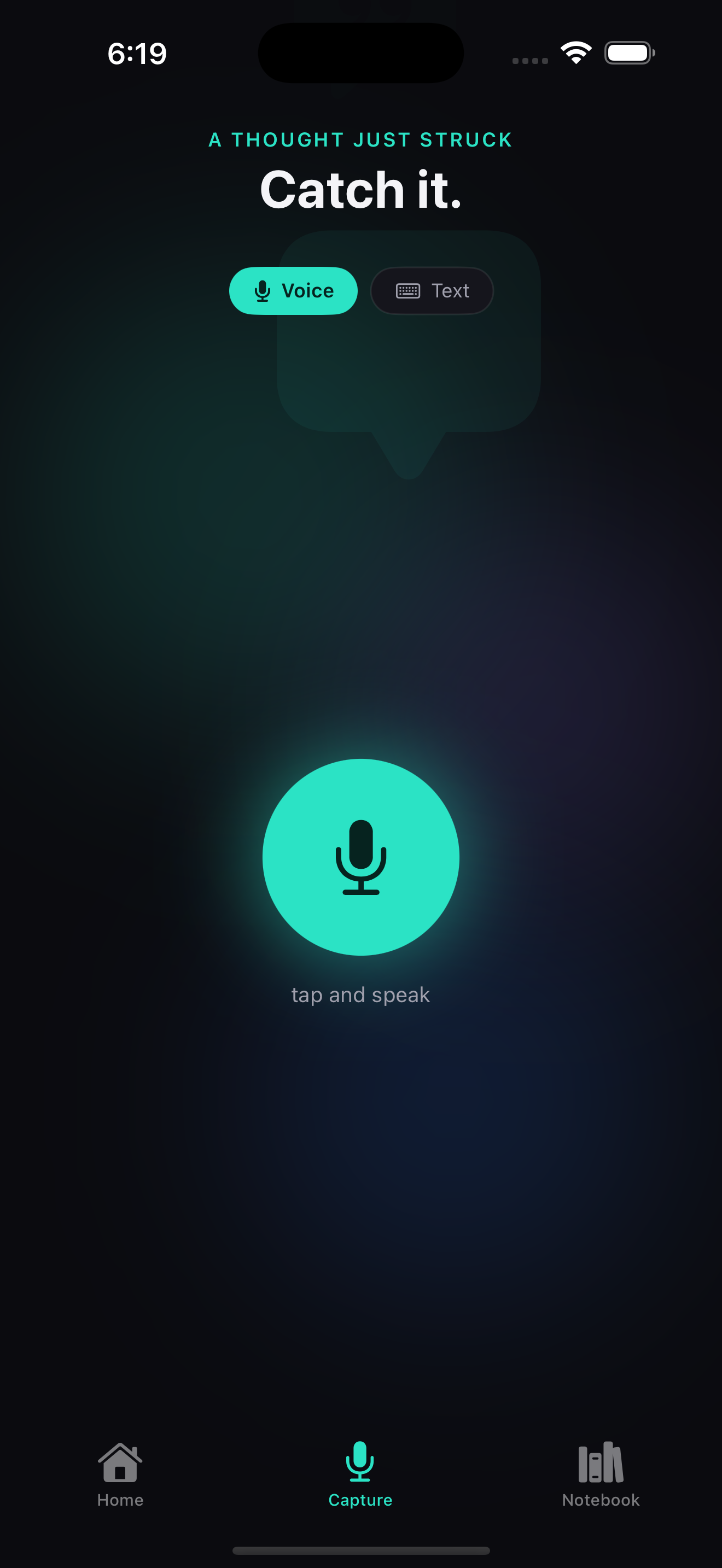
What it does
Capture is the front door to the whole app, and it's deliberately frictionless. There's no folder to choose, no blank page to stare at, no formatting to fuss over. You open Thought Spark, hit the mic, and start talking the moment the idea strikes. Prefer to stay quiet? Switch to text. Either way, when you stop, the idea is instantly transcribed and dropped into your notebook with a sensible title and tags — so a two-second thought becomes a real, findable note without a single extra tap.
How capture works
Tap & speak (or type)
One tap opens the mic. Talk naturally — no wake word, no setup.
Instant transcription
Your voice becomes clean text the moment you finish.
Auto title & tags
Every idea gets a title and category tags automatically.
Lands in your notebook
Organized by category and how far you've taken it.
Why frictionless capture matters
The research on idea loss is unforgiving: a thought that isn't captured within a minute or two is usually gone for good, and every extra step between "I had an idea" and "it's saved" is a chance to lose it. Note apps that make you pick a notebook, title the entry, and type it all out lose the race. Thought Spark wins it by removing the steps — the fastest capture is the one you'll actually use when you're half-asleep, mid-run, or two hands full.
Who it helps: founders catching product ideas between meetings, writers who lose story sparks in the shower, and anyone whose best thinking happens away from a keyboard.
Capture is just step one
Once an idea is in, Thought Spark can take it the rest of the way:
Never lose a good idea again
Capturing is free and unlimited. Start catching your sparks on iPhone.
Download Thought SparkFrequently asked questions
How fast is idea capture in Thought Spark?
About as fast as thinking it. Open the app, tap the microphone and speak — or switch to text and type. When you stop, the idea is transcribed and given a title automatically. Capturing is unlimited and free.
Can I capture ideas by text as well as voice?
Yes. Thought Spark supports both voice and text capture, so you can talk when you're on the move and type when you need to be quiet.
Does Thought Spark organize captured ideas automatically?
Yes. Every idea lands in your notebook with an automatic title and tags, organized by category and how far you've taken it, so it's easy to find later.
Where are captured ideas stored?
On your device. Your thoughts, transcripts and notes are not stored on our servers; content is only sent for AI processing at the moment you use a feature, and is never used to train models.